# Google Cloud Storage
> How to publish build artifacts to Google Cloud Storage using codemagic.yaml
In order to publish your generated artifacts to Google Cloud Storage:
1. Log in to your Google Cloud platform [console](https://console.cloud.google.com/).
2. Create a new service account under **IAM & Admin > Service Accounts**.Find more information about how to create a service account [here](https://docs.codemagic.io/yaml-publishing/google-play/#configure-google-play-api-access).
3. Generate a JSON key for the service account and download it.
4. Open your Codemagic app settings, and go to the **Environment variables** tab.
5. Enter `GCLOUD_STORAGE_KEY` as the **_Variable name_**.
6. Copy and paste the content of the JSON key file as **_Variable value_**.
7. Enter the variable group name, e.g. **_google_credentials_**. Click the button to create the group.
8. Make sure the **Secret** option is selected.
9. Click the **Add** button to add the variable.
10. Go to your Google Cloud Platform console and open Cloud Storage. Make a note of the name of the bucket you want to upload to or create a new bucket.
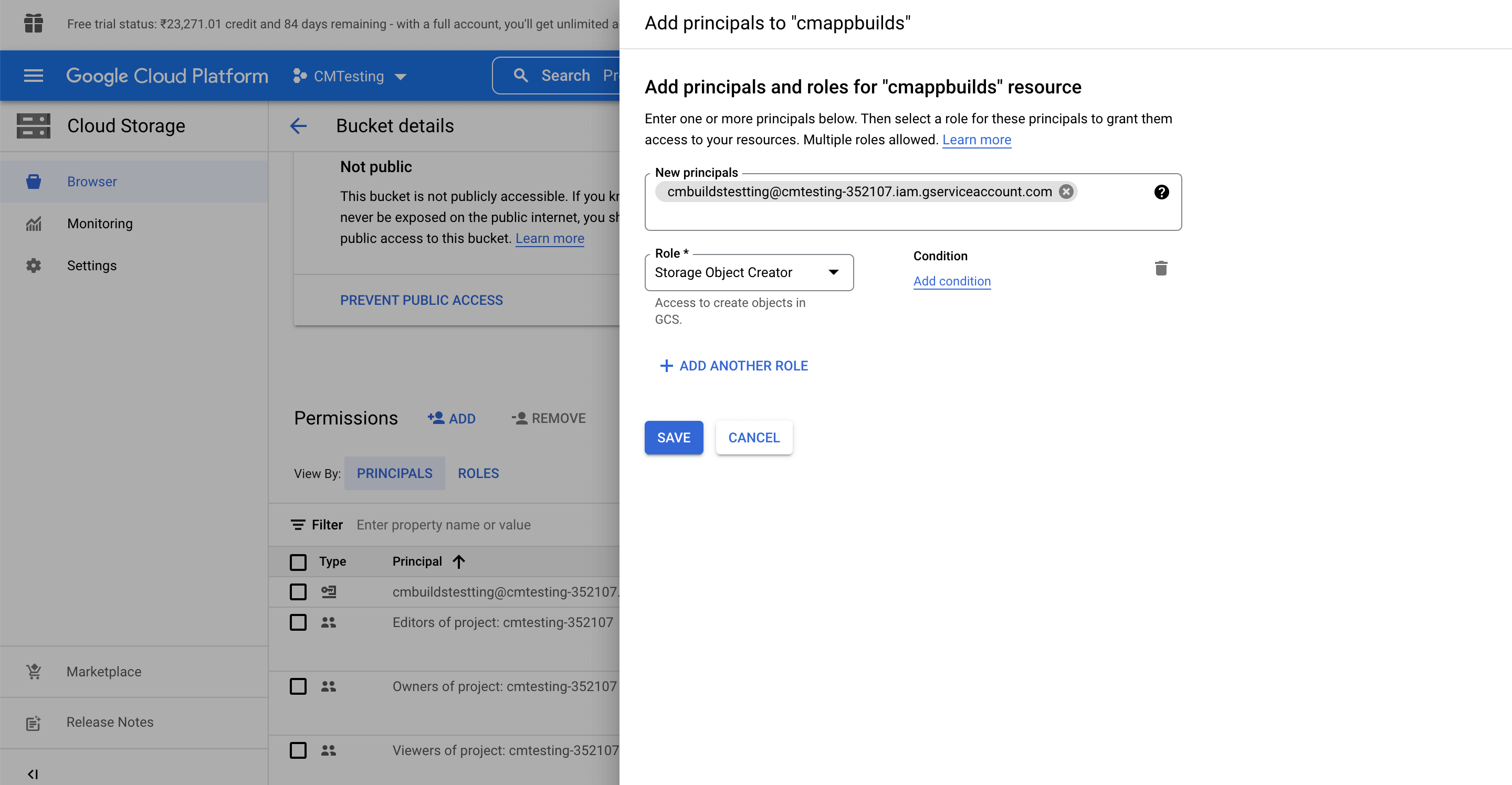
11. In case of an existing bucket, make sure that necessary permissions are configured.
To set up permissions go to the permission section of the bucket, Click on **+ Add** and add the service account details with the role of Storage Object Creator and click save.
12. Configure your `codemagic.yaml` by adding the following script in your post-publishing step.Replace `gs://YOUR_BUCKET_NAME` with your own bucket name.
```yaml
publishing:
scripts:
- name: Publish to Google Cloud
script: |
echo $GCLOUD_STORAGE_KEY > $CM_BUILD_DIR/gcloud_storage_key.json
gcloud auth activate-service-account --key-file $CM_BUILD_DIR/gcloud_storage_key.json
gsutil cp $CM_BUILD_DIR/app/build/outputs/**/*.apk gs://YOUR_BUCKET_NAME
```
After completing steps above, you can go to your Cloud Storage account and check if the object is uploaded.